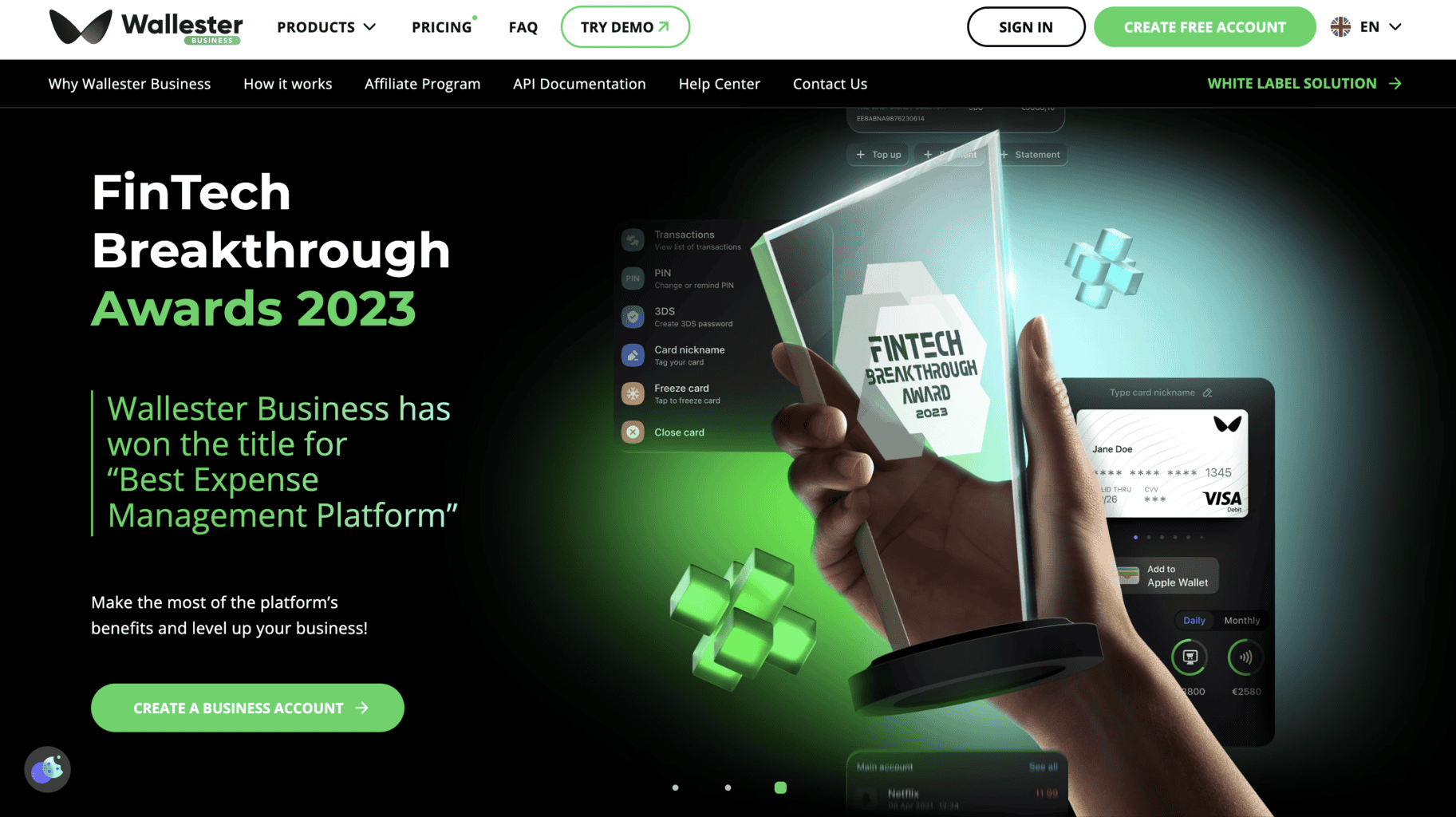
Wallester Business is a Tallinn-based licensed payment service provider that develops financial digital technology and provides businesses with virtual and physical Visa corporate cards.
Companies that use Wallester Business’ corporate cards get access to a cloud-based platform where they can manage their expenses and get in-depth reports on their payments.
Wallester Business financial solutions are ideal for businesses that need corporate cards and a simple yet robust platform where they can manage all their expenses. Some industries that would benefit the most from the services offered by Wallester Business include:
- FinTech businesses
- Loan providers
- Travel agencies
- eCommerce businesses
- Insurance companies
Now that we’ve covered the basics, let’s go over everything this provider has to offer.
Wallester Business Products and Services
Corporate Visa Cards
By subscribing to one of Wallester Business’ subscription plans, you’ll receive a specific amount of virtual or physical Visa corporate cards to purchase business-related goods and services.
The number of cards you will get varies and depends on your subscription. You can get more cards than the standard amount included in the plans, but you’ll need to pay extra for each new card.
Here’s a list of the corporate cards’ basic features:
Transaction limitations: Set up budget limitations for daily transactions on each corporate card in just a few seconds. Your employees can spend a certain amount of money on a day-to-day basis, and if necessary, you can always adjust the limit through the cloud-based platform or the mobile app. The transaction limit can differ from card to card, or you can set up one specific amount that will be the daily limit for all employees.
Digital wallets: Connect as many cards as you want to a digital wallet such as Samsung, Google, or Apple Pay. You can see the available funds in your digital wallet via the mobile application at any time. By accessing their digital wallets, they can always take out one of the virtual cards owned by Wallester Business.
Card delivery: The cards can be delivered internationally straight to your address. You can use the cards worldwide, in every location where they accept Visa. However, to create a Wallester Business account, your business must be registered in EEA or the UK.
Commission-free: When using the cards, you won’t pay a commission percentage in any currency, regardless of the exchange fees and rates.
Tokenisation: Integrate fully tokenised physical cards to process virtual payments via digital wallets such as Google, Samsung, Garmin, FitBit, or Apple Play. The tokenisation process prevents unwanted third parties from breaching your account and accessing the funds on your virtual or physical cards.
BIN-based sponsorship: Wallester Business can sponsor a BIN for you if you don’t have one yet. That way, you can optimise all of your administration processes on the company’s platform.
Track existing virtual/physical cards: Use the straightforward APIs to track and monitor each card your company owns.
By doing this, you’ll instantly find out if your card has been stolen, misused, damaged, or lost. You can simply configure multiple payment options and keep a close eye on any suspicious change. There’s also an option to block already existing cards straight from the platform.
Transactions reports: Monitor and review daily, weekly, or monthly reports on transactions made with all your Wallester Business cards in real-time.
Instant payments: Suppliers will receive payments instantly after you pay them via Wallester Business’ digital or physical cards.
Payment streamlining: When you enter the platform’s dashboard, you’ll get access to all of the statistics, user metrics, and multiple categories of different expenses.
Payroll Cards
Freelancers, business staff, and affiliates can use the Wallester Business payroll cards to receive payments. They can connect the payroll cards to their Wallester Business account to accept payments, add money, and keep track of the funds available on the cards.
It takes only up to a minute for a payment to be processed and deposited into the recipient’s account. And on top of that, you don’t need to pay maintenance rates and fees to use it. You can process 1500 payments to a payroll card simultaneously from the accounting third-party integration you choose to add to your Wallester Business account.
Wallester Business’ platform recognises payrolls created in different file formats and sizes, such as XML, Excel, or CSV. Once your payment is processed on the Wallester Business platform, your budget will automatically change in your account.
You can pay your employees 24/7 from any location, and they’ll receive the payment on their payroll cards within 60 seconds. You need to pay no rates or fees to maintain the payroll cards.
Platinum Cards
Businesses interested in upgrading their Wallester Business experience can subscribe to the Platinum plan and receive platinum virtual and physical Visa cards. These cards are ideal for employees who are often traveling due to their job’s tasks and responsibilities.
If you’d like to use a Platinum card, you’ll have to make a Wallester Business account and subscribe to the Platinum plan. Once you subscribe, you can order a Platinum card via the mobile app.
Using these cards, you’ll get full access to the VIP lounge at more than 1000 airports worldwide, as well as regular gifts and discounts reserved only for Visa Platinum owners. Wallester Business will also make sure your account is managed 24/7 by a dedicated expert manager.
Expense Management Platform
You can access Wallester Business’ expense management platform by logging into your account via the company’s website or app.
Here, you can monitor and keep track of all your daily transactions in real time. Whenever there’s a new payment, the expense archive will change and the new transaction will appear on your dashboard.
The cardholder and business information connected to each card are 100% 3D secured, so there’s no possibility of data breach or fraud.
If you’d like to see how Wallester Business’ dashboard works and test the tools and features, you can try out the demo version for free on the following link.
How to Create Virtual Cards
Creating virtual Visa cards via the expense management platform is straightforward and takes only several minutes.
First, access the cloud-based platform or log in to your account via the app. Then, select the option to create a new virtual card and write down the personal details of the employee(s) who will use the card.
Once you set the details up, you’ll receive a link to your mobile number and the mobile numbers of the individuals with access to the corporate card.
Invoice Management
In addition to creating virtual cards via the platform, you can manage your account payables and create, manage, and archive multiple invoices simultaneously. You can create digital invoices by simply uploading a photo of an existing invoice to the platform, which you can enter either via the mobile app or the company’s website.
The platform will inform you about any invoice payment deadlines. There’s also an option to monitor and track incoming account payables.
The invoice management tool contains a reminder feature that will alert employees whenever they use a corporate card. Once the transaction is complete, they can upload a photo of the invoice, if necessary. There’s an option to connect the invoices to the accounting software system for easier fund management.
Virtual Cards
Wallester Business’ virtual cards can be used for digital ad payment. If you subscribe to one of the company’s plans, you can receive a virtual card several minutes after applying. You can order as many cards as necessary and use them on multiple advertisement platforms, such as TikTok, Facebook, Instagram, Google, etc. The first batch of 300 virtual cards is free.
With these cards, you can launch as many ad campaigns as you’d like, but you can only manage one campaign with one virtual card. Like the corporate cards, you can set a specific limit on how much your employees can spend on ad campaigns, and adjust the limit amount from the platform’s dashboard whenever necessary.
The platform automatically creates in-depth reports and real-time updates every time you transact with the card. You can learn more about Wallester Business’ virtual cards by accessing the free demo page.
Budget Management Tool
The budget management tool allows you to track your funds from the platform’s dashboard at any time. By accessing the platform, you can follow all the changes in your budget and see how your employees are spending your company’s funds. Here’s what you can do with this tool.
Budget allocation: You can track the amount of money available on each physical and digital card and set different budget limits for each card separately.
Payment monitoring: Whenever someone makes a payment with one of your physical or digital corporate cards, the transaction will appear on the dashboard in real time.
Card statistics: The platform automatically creates standard statistics regarding how employees use your cards, the median amount of money spent daily, weekly, or monthly per card, etc. The expense data is automatically sorted and categorised into various categories such as timeframe, payment type, etc.
Third-party integrations: This tool is connected to third-party integrations in finance and accounting, such as Xero, Sage, Quickbooks, etc.
Affiliate Program
The company launched an affiliate program for businesses interested in partnering up. You can submit your application on the website if you’re interested in becoming Wallester Business’ partner and benefiting from their products and services and using a significant monthly discount.
Prices and Fees
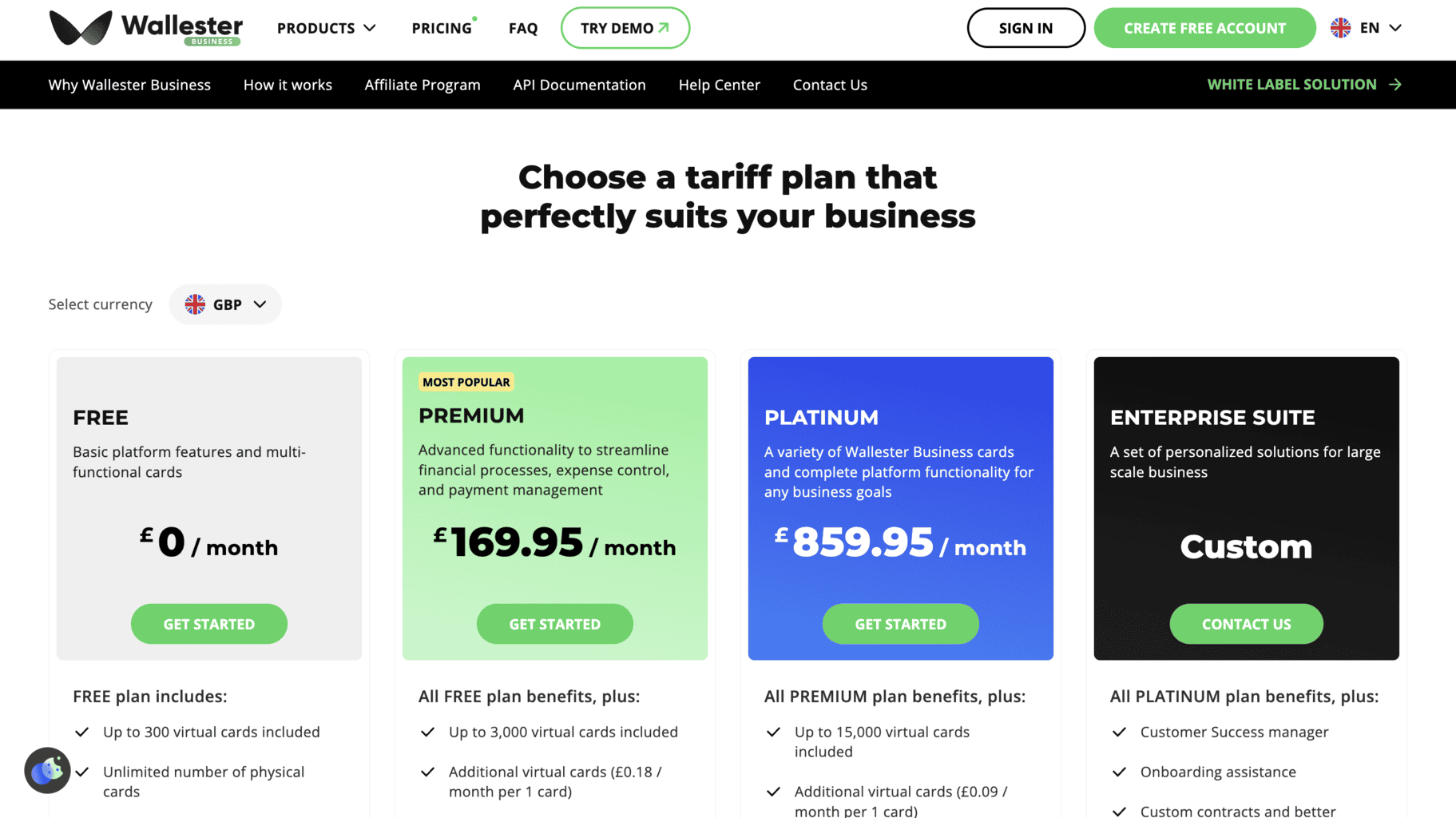
Wallester Business offer four subscription plans. To sign up for any monthly plans with fixed rates, you must create a business account using this link.
Here’s what’s included in each plan.
Free Subscription
The Free subscription plan is ideal for startups, small, and mid-range businesses that are looking for a user-friendly platform to manage their expenses and free corporate cards they can use in-person or virtually. Here’s what’s included in this subscription:
- Maximum of 300 virtual Wallester Business cards issued by Visa (you can order more, but with each new one you’ll have to pay extra)
- Unlimited amount of physical debit cards
- Digital wallets, such as Google, Samsung, or Apple Pay
- Expense management tools that you can access via the mobile app
- Unlimited user accounts for employees, business managers, accountants, and account admins
- Sub-accounts
- Expense and transactions management tool
- Accounting features, such as invoices, smart receipts, bank reports and statements, etc.
- Transaction limits
- Third-party integrations and pre-installed APIs
- Customer support by chat or phone
- An account manager appointed by Wallester Business
Premium Subscription
The Premium plan is the most popular one among all of them. Its fixed monthly cost is £169.95. This plan consists of all the tools and features included in the Free subscription, plus several extra ones, such as:
- Maximum of 3,000 virtual Visa cards
- Extra virtual Visa cards for the price of £0.18 monthly per card
- Unlimited amount of physical debit cards
Platinum Subscription
The Platinum subscription plan is ideal for large businesses that need a large number of virtual cards. Its price is fixed at £859.95 monthly. By subscribing to it, you’ll receive all the features from Premium plus additional ones, such as:
- Unlimited amount of physical Visa debit cards
- Maximum of 15,000 virtual Visa cards
- Extra virtual Visa cards for the price of £0.09 monthly per one card
Enterprise Suite
As the name suggests, the Enterprise Suite subscription plan is ideal for enterprises. The monthly subscription is not fixed, and the plan can consist of selected tools and features, so each user will receive a tailor-made quote. Here’s what’s always included in the Enterprise Suite:
- All of the tools and features included in Platinum
- A dedicated manager who specialises in improving customer success
- Onboarding support and assistance
- Tailor-made contracts, lower fees and rates
- Customer support is available 24/7, anytime during the year
- Wallester Business’ appointed manager who is in charge of the business account
- Pre-installed APIs
Company Background
Founded in Tallinn, Estonia, Wallester Business provides corporate cards for small, medium, and large companies. Its services are available in countries of the EEA and the United Kingdom.
The company provides users with expense management tools by giving them access to a multifunctional, cloud-based platform they can use via logging into their account on the Wallester Business’ official website or via the mobile app they can download on iPhone or Android phones.
Businesses can connect their Wallester Business physical or digital cards with the platform to keep track of their transactions, monitor their budget, and streamline their day-to-day expenses.
The company’s primary office is in Tallinn, Estonia, and the second is in Valbonne, France.
Wallester Business’ headquarters are located at this address:
- F. R. Kreutzwaldi 4 (First floor)
- 10120, Tallinn, Estonia
You can contact the customer support department by dialling +3726720101 or by sending an email to support@wallester.com.
You can also send an email to one of the following addresses:
- advertising@wallester.com
- sales@wallester.com
- hr@wallester.com
If you’d like to keep up with the latest updates on Wallester Business, check out their Instagram and Facebook pages.
Online Reviews
Wallester Business has 60 reviews and a median score of 4.8 out of 5.0 stars on Capterra. Reviewers left positive comments about the company’s user-friendly solutions, and some mentioned that the customer service offered excellent guidance and support.
They also have 60 reviews and 4.8 out of 5.0 stars on Software Advice and 13 reviews and 4.8 out of 5.0 stars on G2.
Wallester Business received 60 reviews and an average of 4.8 out of 5.0 stars on GetApp. The company also has 86 reviews and an excellent median score of 5.0 out of 5.0 stars on NeoBanks.
The company’s mobile app received 22 reviews on the Apple Store and has an excellent median score of 5.0 out of 5.0 stars.