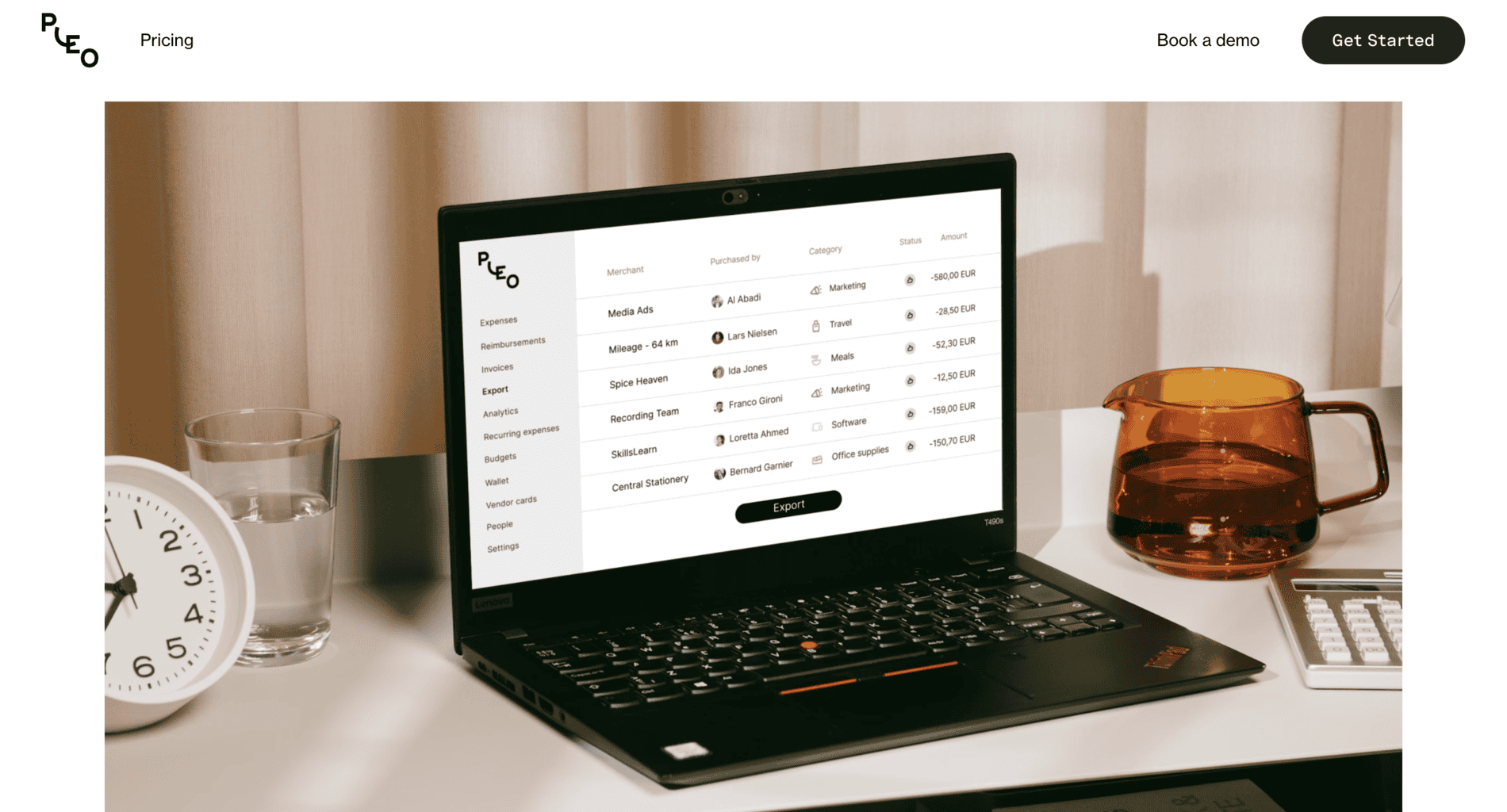
Pleo is a Danish fintech company that provides businesses with a cloud-based spend management platform.
This platform is an excellent choice for Europe-based businesses of all sizes looking for a straightforward and user-friendly way to manage their expenses from one dashboard.
Let’s learn more about Pleo’s software solution and its features, and see how it rates based on online reviews.
Pleo Platform Tools and Features
Pleo’s expense management platform will help you track and monitor all of your company’s expenses from any location.
Accessing the platform is straightforward – simply log into your account via Pleo’s website on a PC or laptop. You can also use the mobile app on an Android or iPhone smartphone for quick access while on the move.
Let’s give you a brief rundown of the platform’s leading tools and features.
Transparency and visibility: Get a full and transparent overview of all of your expenses, sales revenue, and digital reviews.
Travelling management tool: Use the management tool designed specifically for when you travel abroad. This tool follows your expenses and helps you monitor how much money from your business accounts is being spent daily.
Monitor and track daily spending: Monitor your company’s spending 24/7. The payments list is automatically updated whenever an employee buys something via the bank account connected to Pleo. If you have questions or are in doubt someone is misusing your account, you can always contact Pleo’s technical support.
Third-party integrations: Customise Pleo by adding multiple third-party integrations at once. There’s an option to tailor your account with over 50 software solutions that help businesses manage their financing and accounting. Some of the most popular integrations Pleo users install are Xero, Oracle Netsuite, DateV, etc.
Extra cashback: If you’re an eligible business for cashback, you’ll receive a fixed rate for each transaction. The cashback percentage can vary depending on your type of business, but it usually ranges between 0.5% and 1% per transaction.
Automated invoices: Track and manage invoices you receive from your suppliers. You can simply approve or disapprove invoice transactions straight from Pleo’s dashboard.
Miles/kilometres calculator: The platform has a unique tool that measures how many miles or kilometres you or your employees drove while on a business trip. It also calculates how much money was spent from your business account on travel expenses, such as fuel or vehicle inspections or reparations.
Automated bank account link: Automatically reimburse employees by linking their personal bank accounts with the platform.
In addition to being compliant with the highest security standards, such as PCI-DSS, the platform is secured by 3D verification, which is an additional payment notification. This security process is optional, so you can set up notifications whenever someone purchases your product, either from the web or a mobile application.
User information: The platform collects various types of information from its regular clientele and keeps it safe from data breaches.
Virtual Pleo cards: In addition to the MasterCard debit cards you can use wherever you go, you can also receive a virtual Pleo debit card to make limited business-oriented equipment purchases, such as software or hardware devices.
Safe money processing: Money processing also complies with the highest regulation standards in Europe. Whenever you add a specific sum to your Pleo account, it will first be reviewed by Danske Bank if the funds are owned by a Swedish or Danish company or by J.P. Morgan for other European customers.
There’s also an additional security layer since MasterCard cards provide Pleo issues, so the company is also compliant with their safety regulations.
Security certification: Keep your customers’ data safe and secure during transactions. The platform and the company are PCI DSS compliant and in line with the highest security standards. The software automatically deletes cardholders’ data if the transaction is successful. It also complies with PSD2, an EU regulation protecting businesses from payment fraud and theft.
Fraud and malware prevention: Unlike many other companies, which focus only on the vague protection of their software, Pleo offers top-notch prevention of unwanted businesses and fraud.
Funds optimisation: Optimise your funding and ensure each user can only spend as much as you let them by setting a limit on your Pleo card.
Advanced high-level security: Besides being PCI-DSS compliant, Pleo also has an identification and verification process for each platform user. You and all of your co-workers will have to confirm your identity before logging in.
Additional Tools and Features
Let’s check out some additional tools and features offered by Pleo.
Pleo Cards
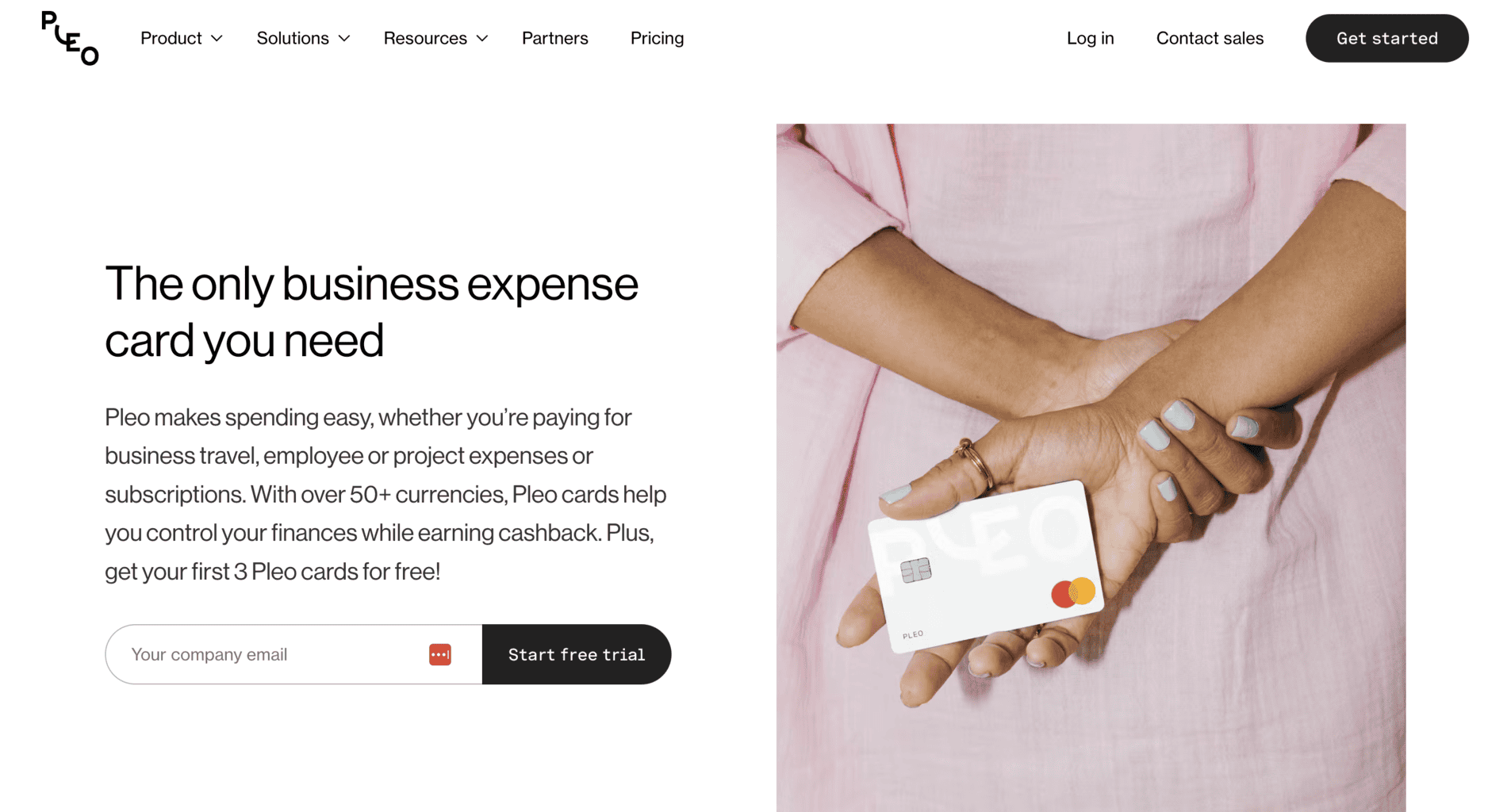
Pleo offers multiple debit cards for businesses that subscribe to one of its plans. B4B Payments is the leading provider of Pleo’s cards issued by the international company Mastercard. Using one of your Pleo debit cards, you can get a maximum of 1% cashback.
However, not all Pleo users are eligible to receive cashback, so if you’re interested, contact the company to ask if you qualify.
Automated Spending Limitations
You can limit the use of one or more of your debit cards. If you set a limit, your employees can spend a certain amount of money daily.
In addition to the spending limitations, the cards are easy to manage straight from the dashboard. You can reorder cards many times straight from Pleo’s platform. If you lose one of your cards or someone misuses it and spends funds illegally, you can immediately cancel or freeze it, even from the mobile app.
Additionally, if you’re actively using Pleo’s physical debit card, you can connect it to your smartphone and pay on the move using Google Pay or Apple Pay.
Pleo Fetch
In addition to third-party integrations, you can add Pleo Fetch to improve your software experience and get quick access to your receipts saved on your email. You can connect up to three email accounts.
Once you pair them, you can open receipts straight from the Pleo dashboard and filter out receipts within a specific timeframe. The software won’t store any of your sent or received emails in the dashboard except those with a receipt attachment. You can also limit the access to the email only to specific accounts.
Pleo App
Pleo’s mobile app is a great addition if you’d like to quickly access the software’s tools from any location. The app’s interface design is intuitive and user-friendly, so you’ll easily learn how to navigate it.
You can download Pleo’s app on your Android smartphone via Google Play or iPhone via Apple Store.
Here’s a brief list of the app’s essential features:
Expense tracking and management: The app automatically updates the list of expenses whenever there’s a new payment via Pleo’s digital or debit cards. You can also manually add new expenses by taking photos and uploading receipts directly on the app. The app will instantly scan the necessary data and place the expense type and amount in a specific category.
Expense categorisation: The app automatically categorises different types of expenses in real time. You can filter out expense reports in a specific timeframe by selecting the dates you want to review and download the report.
Payment approval: To manage your employees’ spending, pair one or more of Pleo’s cards with your mobile app. You can approve or reject payments your employees want to make with the Pleo MasterCard. There’s also an option to assign specific budgets and create a spending limit on the debit cards. Each card can have a different spending limit.
Card freezing: If you haven’t set a budget limit and notice an employee is misusing company money or one of your cards goes missing, you can freeze the card from the mobile app.
Spending analytics: The app automatically creates in-depth data reports of your company and staff’s daily spending patterns.
Accounting integrations: You can also use accounting integrations such as Xero and Quickbooks via the mobile app.
Pleo Partnerships
Pleo has an ongoing call for businesses interested in becoming partners with the company.
Here’s the type of partnerships they’re looking for:
Accounting businesses: If your company offers accounting and finance management services, you can apply to partner with Pleo. If they approve your partnership application, you can track and automate expenses without paying any extra rates and fees. You can also use Pleo’s digital or physical cards and the benefits of over 50 third-party integrations that automate finance and accounting management.
Consulting businesses: Pleo offers partnerships to consulting businesses and individual consultants.
Affiliates Programme: This partnership programme is specifically designed for businesses that would partner up with Pleo and refer their services to another business. Each time you bring a new client to the company, you’ll earn a specific percentage, i.e. commission.
Tech businesses: Pleo hasn’t opened its call for tech business partnerships yet, but it will in the near future. The idea behind this partnership is to allow tech companies to share their third-party integrations on Pleo’s cloud-based platform.
Third-Party Apps
In addition to the integrations on financing and accounting, you can also customise your Pleo experience by installing several third-party apps that will help you manage your emails, work schedule, HR tasks, eCommerce, etc.
Remember that not all third-party apps work everywhere in Europe. If you’d like to know whether the app you’re interested in can be used in the country you reside in, you’ll have to browse through the website and filter out the apps and locations you’re interested in.
Some of the third-party apps available for download include:
|
|
How to Create a Pleo Account?
Creating an account on Pleo’s platform is straightforward. You’ll first need to sign up for either the free subscription or one of the paid monthly or yearly plans, which we’ll explain in more detail shortly.
Here’s a list of all the steps you need to take to set it up once you subscribe:
- Create a Pleo account: First, go to Pleo’s website, click on the “Get Started” button at the top of the homepage, and type in an email that you want to connect with your Pleo account.
- Verify your email: The second step is to verify the email address. You’ll receive an email with a link to click, and then you’ll be instantly redirected to Pleo’s platform. Only after verifying the email will you get access to your Pleo account.
- Start a 21-day trial: Once your account is activated, you’ll receive a 21-day free trial of Pleo’s platform. Each business that subscribes to one of Pleo’s paid plans can use the free trial period only after adding a specific sum of money to their user account. If you decide to stick to the free subscription plan, you won’t need to start paying anything after the first 3-week trial period.
Pleo’s Pros and Cons
Now that we’ve covered the basics of Pleo’s platform and its many features, let’s learn what makes this software stand out and what disadvantages you should carefully consider before subscribing to one of its plans.
Pleo Pros
Here’s a short list of Pleo’s most significant advantages.
Tracking and monitoring in real-time: You can track and monitor all of your real-time payments and expenses from the dashboard. The software automatically updates whenever there’s a new transaction.
Having access to this data at all times, you can create and predict your future development and prepare a more accurate monthly or yearly company budget.
Digital receipts: The cloud-based platform creates e-receipts, which allows you to generate payment reports much simpler and faster. You can send these receipts to your customers via email or SMS.
Spending limitations: Business managers with admin access to the platform can set spending limitations on the business debit cards. This optional feature allows you to ensure that none of your co-workers is overspending or misusing company funds.
Multiple cards: Your employees can use various credit cards to pay for specific products and services intended only for work purposes.
Third-party integrations: You can customise your Pleo experience by adding third-party integrations to help you manage your accounting, finances, eCommerce platform, and more.
Pleo Cons
Although Pleo is a user-friendly platform that offers excellent tools and features, it has several disadvantages you should consider before deciding whether to use it. Here’s a brief list of some of its cons:
No withdrawal: You cannot withdraw cash through Pleo’s debit card. Therefore, you might benefit more from using a platform that requires your employees to withdraw money. However, you’re good to go if your business only supports digital or e-transactions.
No customisation or personalisation: The platform is easy to use and has a very intuitive interface, but it’s far from perfect. Even though you might want to switch it up and add specific details to it that will help you or your team navigate the platform better, your options for customising Pleo’s platform are minimal.
No fixed prices and fees: Since the prices and fees are not fixed, you will have to pay a certain percentage in proportion to the number of individuals with full access to the platform. The more employees get access, the higher the ultimate price.
No free training: Although Pleo’s platform is easy to master, there’s still a learning curve to get used to and benefit from all its tools and features. Currently, the company doesn’t offer free training or video courses for the platform. It only provides customer and technical support for subscribers via email, phone, or real-time chat.
Live chat customer support is only available for Essential subscribers, and phone support is only for Advanced subscribers. So, if you’re subscribed to Pleo’s free monthly plan, you’ll only get support via email.
Pleo Prices and Fees
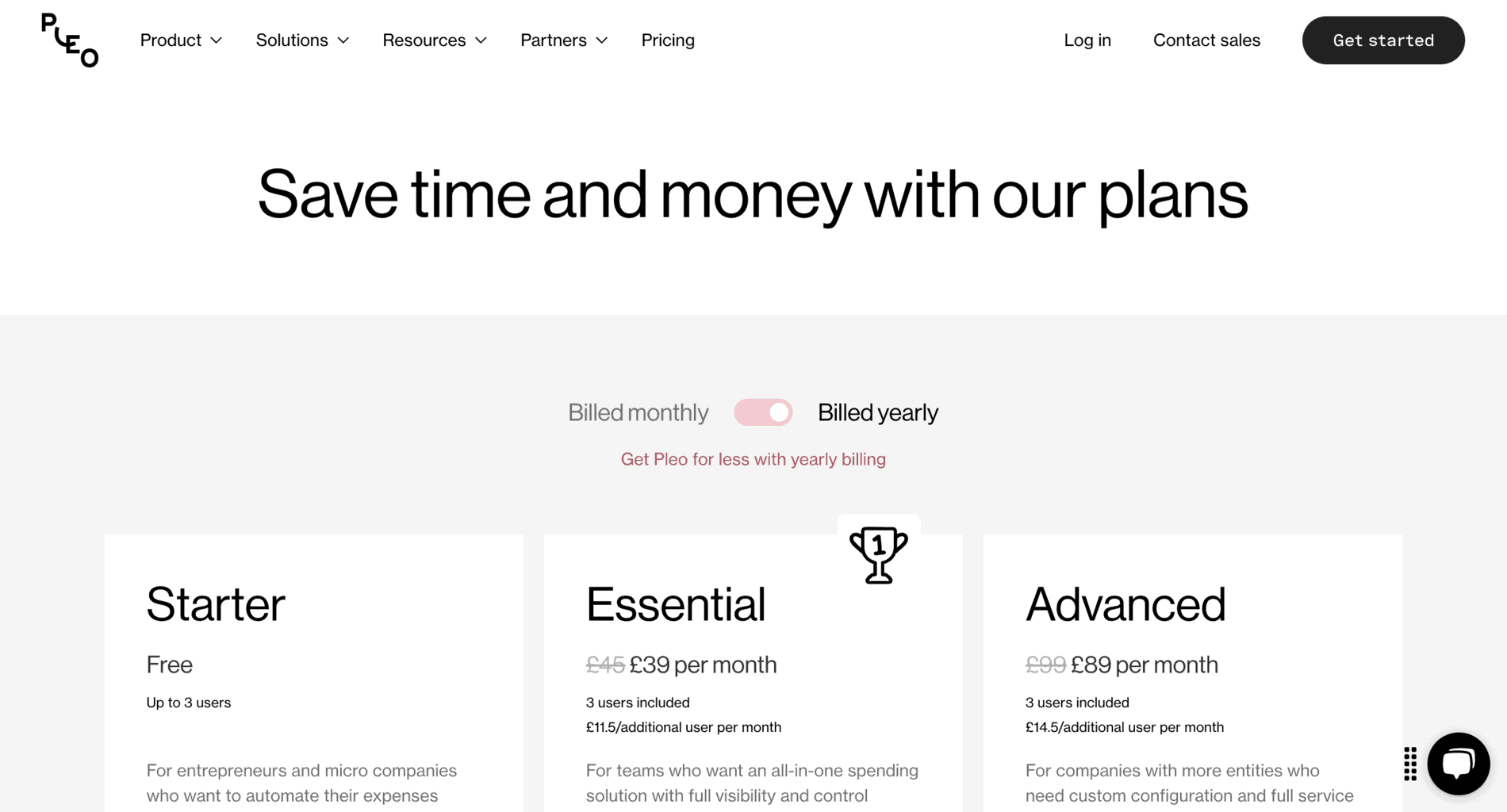
Pleo offers three subscription plans that you can pay for monthly or annually.
Here’s what you’ll get by subscribing to each plan.
Starter Plan
The Starter subscription plan is free of charge, so it’s a great starting point if you’ve never used expense management tools before. Since it doesn’t contain as many tools and features as the other two plans, it’s ideal for startups, freelancers, and solo merchants that don’t need to manage a large number of payments daily.
If you subscribe to Starter, you can create up to three accounts. Each account user can access Pleo’s dashboard from their computer or mobile app.
These are the features you’ll get with this plan:
- Plastic and/or virtual Pleo cards issued by MasterCard
- Apple and Google Pay
- Automated alerts and reminders for digital or email receipts (optional feature)
- Up to five invoice transactions (if you want to create more invoices, you’ll have to pay a fixed rate of £5 per invoice)
- In-depth data analytics and automatically updated overview of sales revenue and expenses
- Automated payment approval for recurring expenses (optional feature)
- Integrations for finances and accounting
- Tailor-made exports for finances and accounting
- Optimisation of different expense types (you can create various expense categories that you can filter out by typing specific tags for each)
- You can pay an extra £12 to receive bookkeeping services from an external Pleo expert
- Technical support by email 24/7, 365 days a year
- Webinars for learning how to navigate the platform
Starter Plan: Payment Rates and Fees
The rates and fees for international exchange payments by credit and debit cards are fixed. You pay 2.49% per transaction. The rate for international exchange invoices is slightly lower than the payment rate – 2.5 % per transaction.
If you’d like to subscribe to the Starter plan, you must send your application by submitting your email and clicking the “Get Started” button under the “Starter” plan here.
Essential Plan
The Essential subscription plan is ideal for mid-sized businesses that need more tools and features to help them manage their daily expenses. The plan costs £45, but there’s an ongoing sale, so you can subscribe for only £39.
Like the other plans, Essential gives three users full access to Pleo’s platform with the original monthly subscription price. This plan is more suitable for businesses that need more than three user accounts because you can pay an extra £11.5 monthly per each new account. You can include as many users as you’d like, but you’ll have to pay the fixed rate for each.
The Essential plan contains the same features as the Starter plan, plus a few additional ones, which include:
- Cashback per transaction with a fixed rate of 0.5 %, but only for specific users; contact the company to ask if you’re eligible for cashback
- There is an optional limit for spending with Pleo’s cards that you can add per purchase or card user
- In-depth analytics on your company’s spending
- Spending reports and reviews for multiple company teams
- Option to set reimbursement alerts for your employees
- Option to set reimbursement alerts for mileage or company-related expenses
- Automated monitoring of various subscriptions or any other type of recurring transactions
- Real-time customer and technical support via chat
If you’d like to try out the Essential plan before subscribing, you can contact the company by submitting your email via their website.
Advanced Plan
The Advanced subscription plan is much more expensive than Essential. It contains additional features that can help large businesses and enterprises manage many daily and monthly expenses and track the changes in their sales revenue.
The plan costs £99 monthly, but currently, the price is reduced to £89. The sale is ongoing, and there’s no end date yet.
Up to three users can access Pleo’s platform, but you can pay an extra £14.5 monthly per one more user and include as many users as you’d like. In addition to all the tools and features included in Starter and Essential, here’s what you’ll get if you subscribe to Advanced:
- Cashback per transaction with a fixed rate of 1%, but only for specific users; contact the company to ask if you’re eligible for cashback
- Vendor debit cards in addition to the regular Pleo cards with an option to monitor and track recurring transactions
- Access to API configuration
- SAML sign-on
- Technical and customer support by email, live chat, or phone 24/7, 365 days a year
- Expert manager that will help you improve your business and enhance your customer support and success
You can submit an application for a free demo trial of the Advanced plan via Pleo’s website.
Company Background
Founded in 2015 in Copenhagen, Denmark, Pleo is a mid-sized fintech business that offers smart spending solutions for businesses to manage their spending and expenses with ease. The company caters to startups, solo merchants, small, mid-sized, and large companies, as well as enterprises. Today, over 1,000 individuals work for Pleo in their five offices in Europe.
Niccolo Pera and Jeppe Rindom founded the company, and soon after its initial launch, they opened multiple branches in London, Madrid, Stockholm, and Berlin.
Pleo’s services are available in 16 European countries. So far, more than 30.000 companies use the cloud-based platform’s tools and features to manage their day-to-day payments and review and track their sales revenue.
The platform is an excellent option for all kinds of businesses, but most of its users provide services in the following industries:
- Tech and data management
- Transportation services
- Retail stores
- Healthcare and medicine
- Private agencies
Some of the company’s international clients include:
|
|
If you’d like to learn more about their first-hand experience with Pleo, you can read some of the client reviews and testimonies on the website.
Online Reviews
Pleo has an average of 4.7 out of 5.0 stars on G2 out of over 1040 reviews. Most reviewers praise Pleo’s services and the quick and helpful customer and technical support.
The company has over 700 reviews and an average of 4.2 out of 5.0 stars on Trustpilot.
Pleo has over 190 reviews on GetApp and Capterra, with an almost perfect median score of 4.9 out of 5.0 stars on both platforms. There are also over 140 reviews on OMR and an average score of 4.7 out of 5.0 stars.
In addition, Pleo’s mobile app has over 360 reviews and an average score of 4.4 out of 5.0 stars on Google Play and over 80 reviews with a median score of 3.0 out of 5.0 stars on Apple Store.